Ticketing app
FutureFund provides tools that help schools and colleges across the USA secure funding.
In addition to fundraising solutions, they also offer enterprise tools, one of which is a ticketing app I designed for managing campus events held in auditoriums or stadiums.
Status - Launched to 3000 schools in California
My Roles
My Roles
Research
Product Design
QA




116,000 Schools
8000 Colleges in the U.S.A
Most Schools either host or rent
out venues like:
Auditoriums
Stadiums
Parking Lots
Amphitheatres
Fields
Classrooms
Studios
Pools
FutureFund supports schools with practical solutions, including a new ticketing app built on the Turnstile API. This event ticketing software makes it simple for schools to manage events and create new streams of income.
Brief
Brief
Brief
Intuitive and easy to use
Intuitive and easy to use
Clear and informative
Clear and informative
Accessible to all users
Accessible to all users
Attractive and native
Attractive and native
Project Overview
Project Overview
Project Overview
Live events at this scale bring a unique set of UX problems. Some of these venues seat thousands of people, and a single point of failure at the gate can cascade into long lines, frustrated guests, and safety concerns for staff. The client needed a ticketing system that was both fast enough to keep entry moving and reliable enough to prevent fraud, all while working within the constraints of a live turnstile API.
My focus was the marshals' side of that system: the mobile scanning software used at the point of entry. The existing tool hadn't been designed for the realities of high volume events. Marshals needed to move through zonal, staggered entry without confusion, confirm a guest's classification at a glance, and recover quickly when something didn't scan clean, all in a matter of seconds per guest. The UX refresh centered on reducing cognitive load at the exact moment where speed and accuracy matter most.
This project aimed to deliver a truly "plug-and-play" experience. The primary requirement was to streamline the user flow to accommodate a broad demographic—including teachers, students, and volunteers—regardless of their technical proficiency.
This project aimed to deliver a truly "plug-and-play" experience. The primary requirement was to streamline the user flow to accommodate a broad demographic—including teachers, students, and volunteers—regardless of their technical proficiency.
The Aim

Hyer Elementary Auditorium
15 OCT - 7:45 pm
Are you sure you would like to scan for this event?
Cancel
OK
Hyer Elementary Auditorium
15 OCT - 7:45 pm
Are you sure you would like to scan for this event?
Cancel
OK
Hyer Elementary Auditorium
15 OCT - 7:45 pm
Are you sure you would like to scan for this event?
Cancel
OK
Scan event code to begin
Scan event code to begin
Scan ticket
Scan ticket
C
S
A
The client requested a minimal 5–6 screen interface where users scan tickets using four-directional gestures, with ticket details accessible via slide-up during a 3.5-second display before auto-returning to the scan screen.
Users can slide up to view details and slide down to clear manually.
The Requirement
C
S
A
The Aim
The Requirement
The client requested a minimal 5–6 screen interface where users scan tickets using four-directional gestures, with ticket details accessible via slide-up during a 3.5-second display before auto-returning to the scan screen.
Users can slide up to view details and slide down to clear manually.
Live events at this scale bring a unique set of UX problems. Some of these venues seat thousands of people, and a single point of failure at the gate can cascade into long lines, frustrated guests, and safety concerns for staff. The client needed a ticketing system that was both fast enough to keep entry moving and reliable enough to prevent fraud, all while working within the constraints of a live turnstile API.
My focus was the marshals' side of that system: the mobile scanning software used at the point of entry. The existing tool hadn't been designed for the realities of high volume events. Marshals needed to move through zonal, staggered entry without confusion, confirm a guest's classification at a glance, and recover quickly when something didn't scan clean, all in a matter of seconds per guest. The UX refresh centered on reducing cognitive load at the exact moment where speed and accuracy matter most.


Zero tolerance for ambiguity. Every scan state had to read as unmistakably pass or fail, with nothing in between.
Design for the worst case, not the average case. A smooth demo means nothing if the flow breaks under a packed queue.
Cut every unnecessary tap. If a marshal had to think, the line was already too slow.
Zero tolerance for ambiguity. Every scan state had to read as unmistakably pass or fail, with nothing in between.
Design for the worst case, not the average case. A smooth demo means nothing if the flow breaks under a packed queue.
Cut every unnecessary tap. If a marshal had to think, the line was already too slow.
Zero tolerance for ambiguity. Every scan state had to read as unmistakably pass or fail, with nothing in between.
Design for the worst case, not the average case. A smooth demo means nothing if the flow breaks under a packed queue.
Cut every unnecessary tap. If a marshal had to think, the line was already too slow.
Zero tolerance for ambiguity. Every scan state had to read as unmistakably pass or fail, with nothing in between.
Design for the worst case, not the average case. A smooth demo means nothing if the flow breaks under a packed queue.
Cut every unnecessary tap. If a marshal had to think, the line was already too slow.
Make zonal status instantly legible. A marshal should never have to ask which gate is live, the screen has to answer before the question forms.
Surface guest classification without adding friction. Senior, adult, child had to be visible at a glance, not buried in a detail view.
Build for failure recovery under pressure. A denied scan in a crowd of thousands needed a clear next step, not a dead end.
Make zonal status instantly legible. A marshal should never have to ask which gate is live, the screen has to answer before the question forms.
Surface guest classification without adding friction. Senior, adult, child had to be visible at a glance, not buried in a detail view.
Build for failure recovery under pressure. A denied scan in a crowd of thousands needed a clear next step, not a dead end.
Make zonal status instantly legible. A marshal should never have to ask which gate is live, the screen has to answer before the question forms.
Surface guest classification without adding friction. Senior, adult, child had to be visible at a glance, not buried in a detail view.
Build for failure recovery under pressure. A denied scan in a crowd of thousands needed a clear next step, not a dead end.
Make zonal status instantly legible. A marshal should never have to ask which gate is live, the screen has to answer before the question forms.
Surface guest classification without adding friction. Senior, adult, child had to be visible at a glance, not buried in a detail view.
Build for failure recovery under pressure. A denied scan in a crowd of thousands needed a clear next step, not a dead end.
Challenges
Challenges
Challenges
Minimal actions. Maximum ease of use.
Minimal actions. Maximum ease of use.
ADAPTABILITY
ADAPTABILITY
Move through tickets, quickly and seamlessly
Move through tickets, quickly and seamlessly
SIMPLICITY
SIMPLICITY
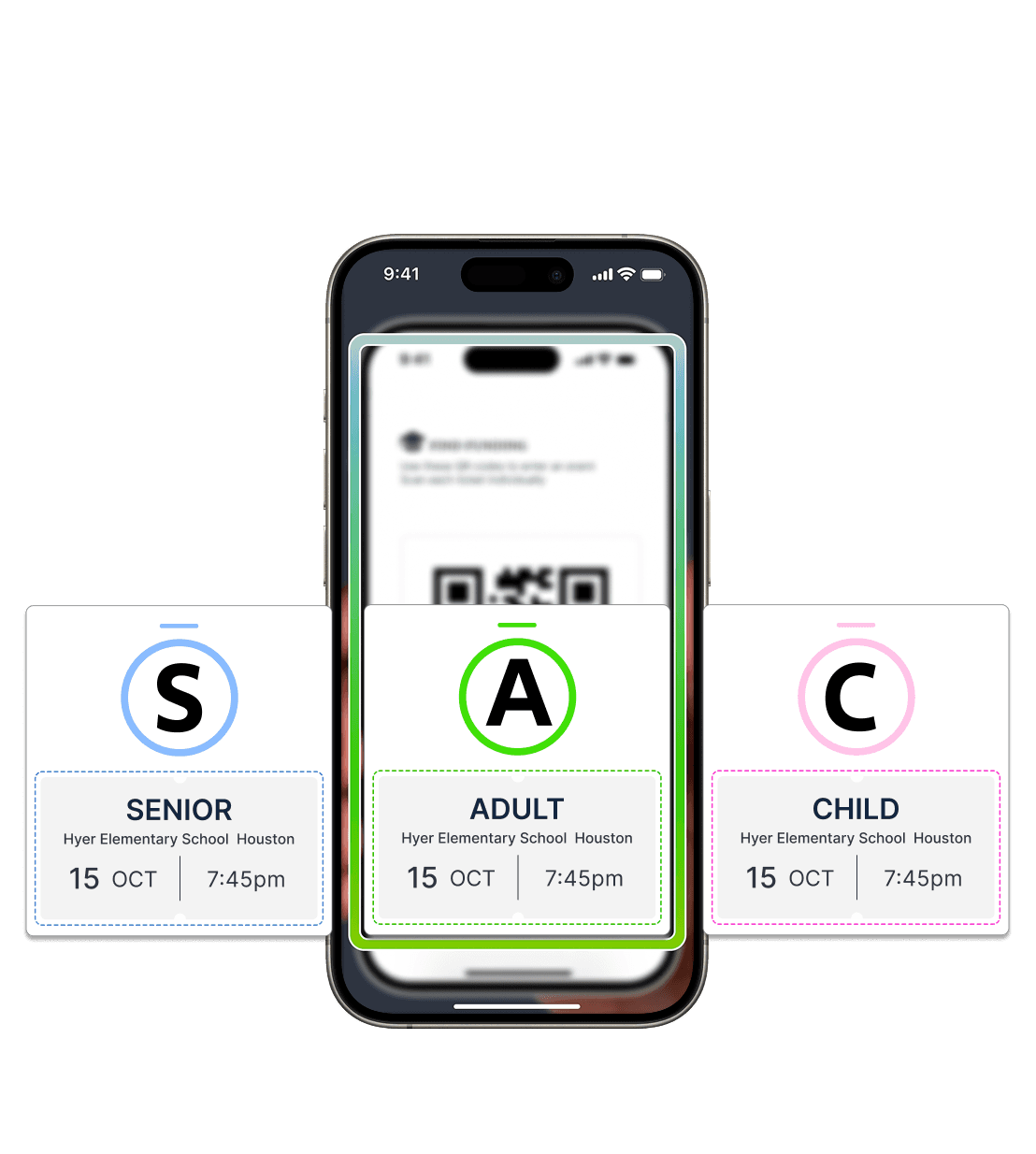
All ticket types are welcome. The ticket is sold based on seniority to enable schools to prioritize people who need assistance or priority entry, like seniors and children
All ticket types are welcome. The ticket is sold based on seniority to enable schools to prioritize people who need assistance or priority entry, like seniors and children
COMMUNITY
COMMUNITY
Ticket scanning is open to all community members
Ticket scanning is open to all community members





YOU
YOU




EASY INFORMATION
EASY INFORMATION
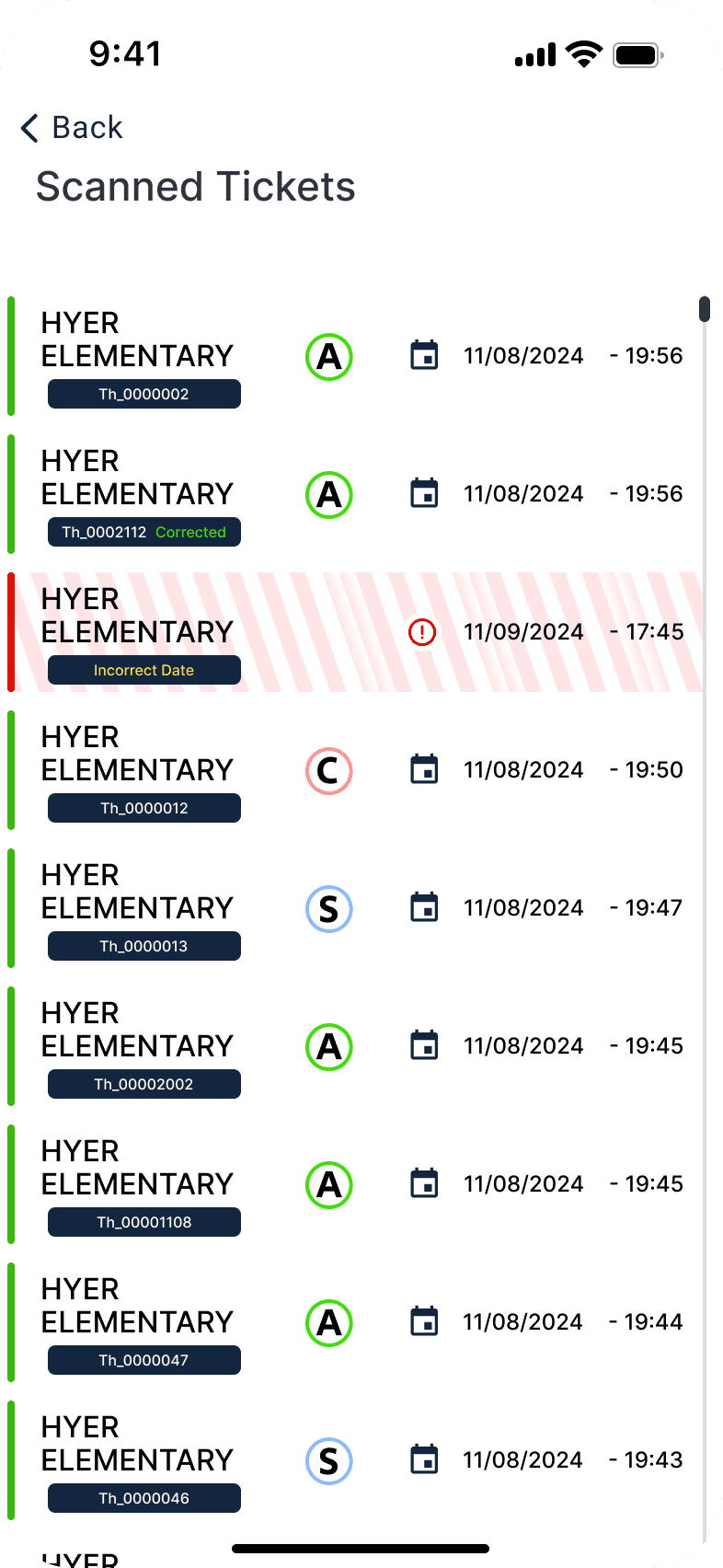
Marshals can track every ticket in real time, monitor stadium capacity, and flag corrected entries with ease
Marshals can track every ticket in real time, monitor stadium capacity, and flag corrected entries with ease
The User Flow
The User Flow

Letting users cycle through the scanner quickly was critical. The happy path takes marshals through scan, evaluate, record and correct in a single continuous interaction. Micro interactions and native device functionality keep every scan fast and reliable.

Scan Area
Scan Area
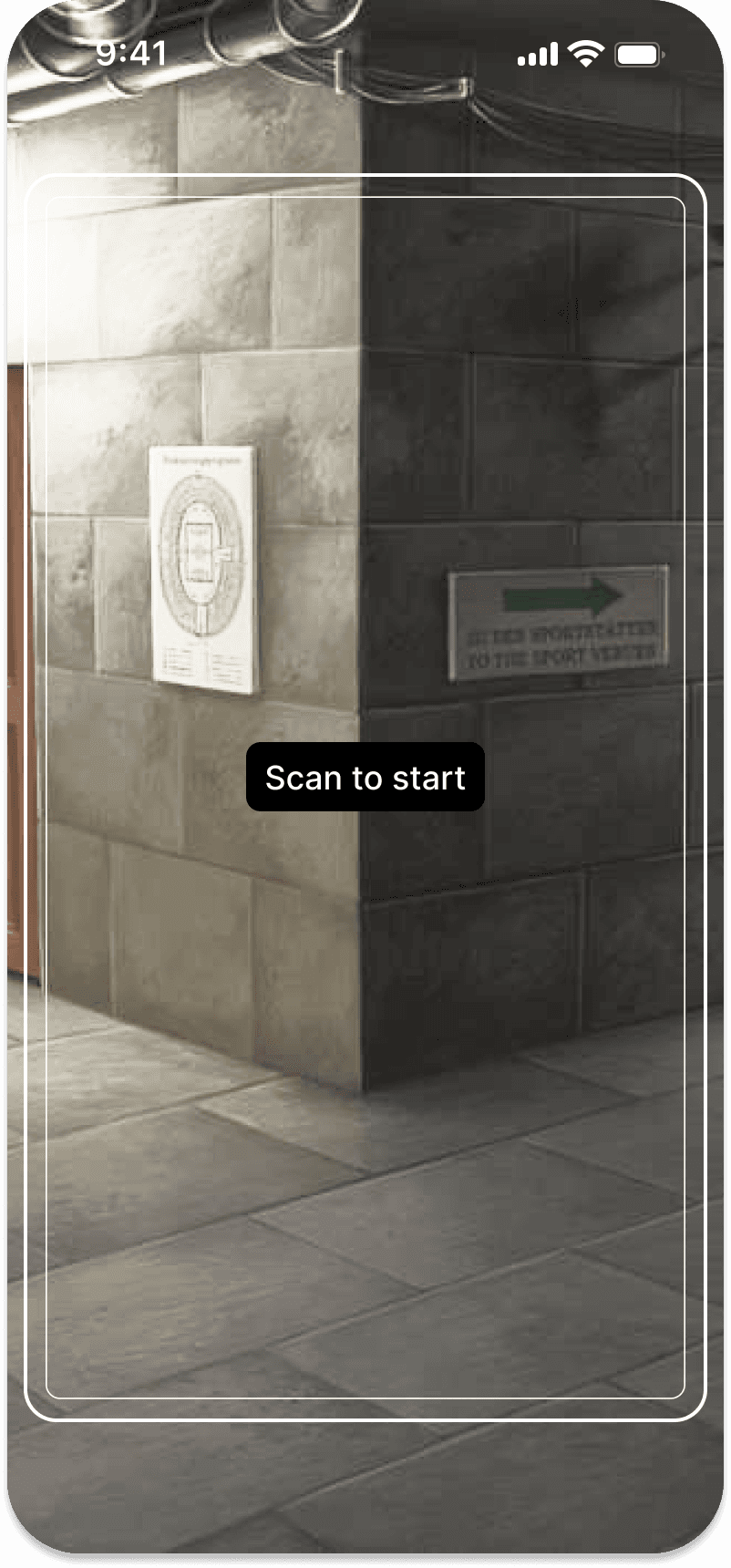
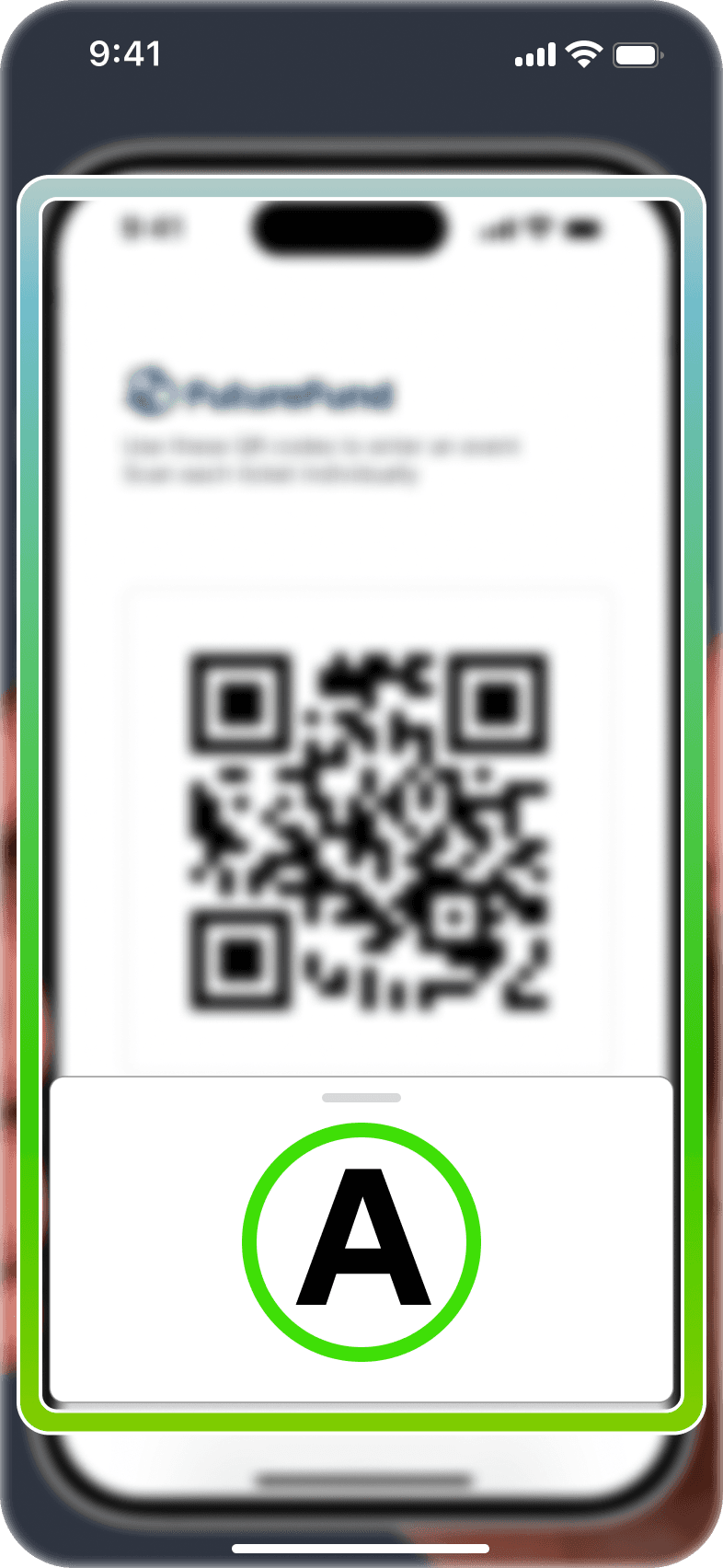
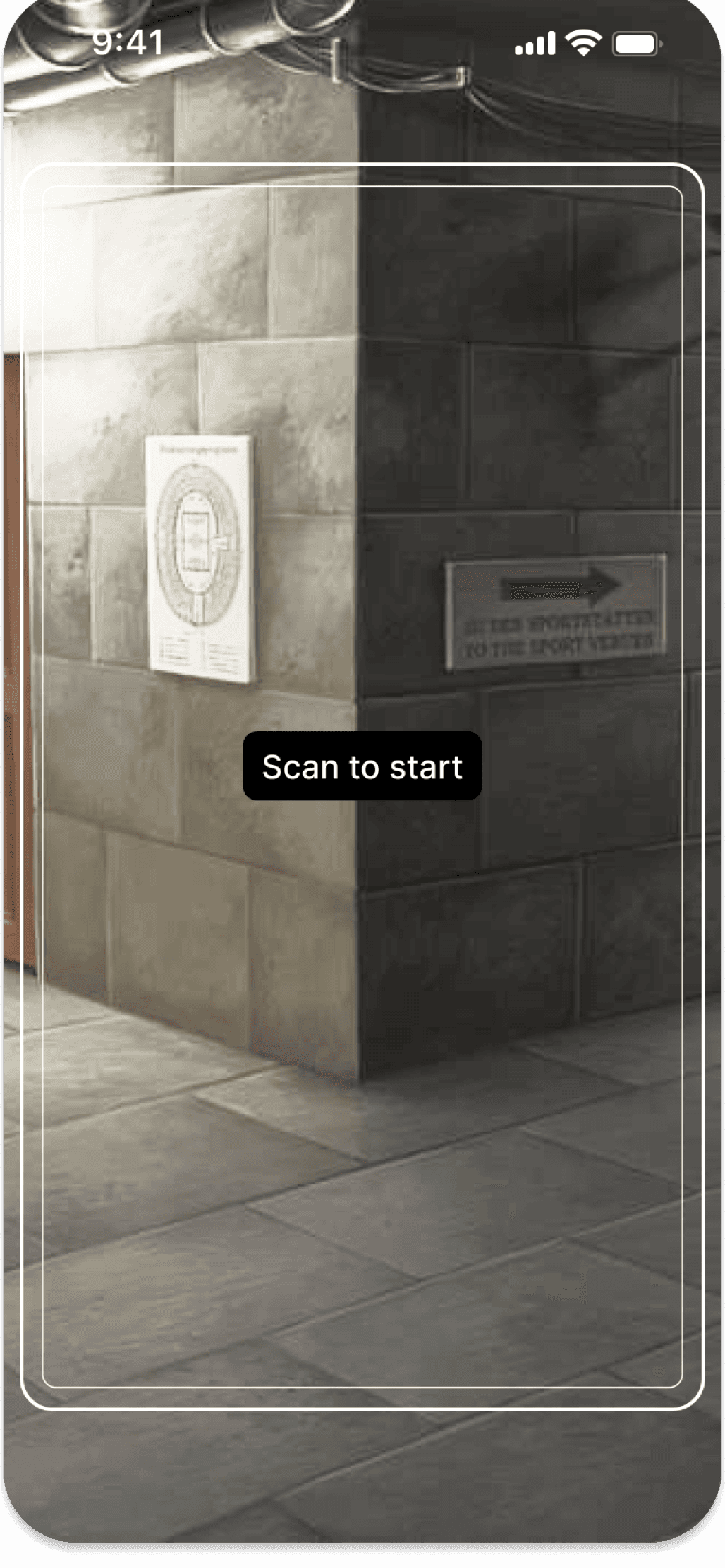
If the camera doesn't detect a valid ticket, the bounding box will remain thin, indicating the 'Left' option.
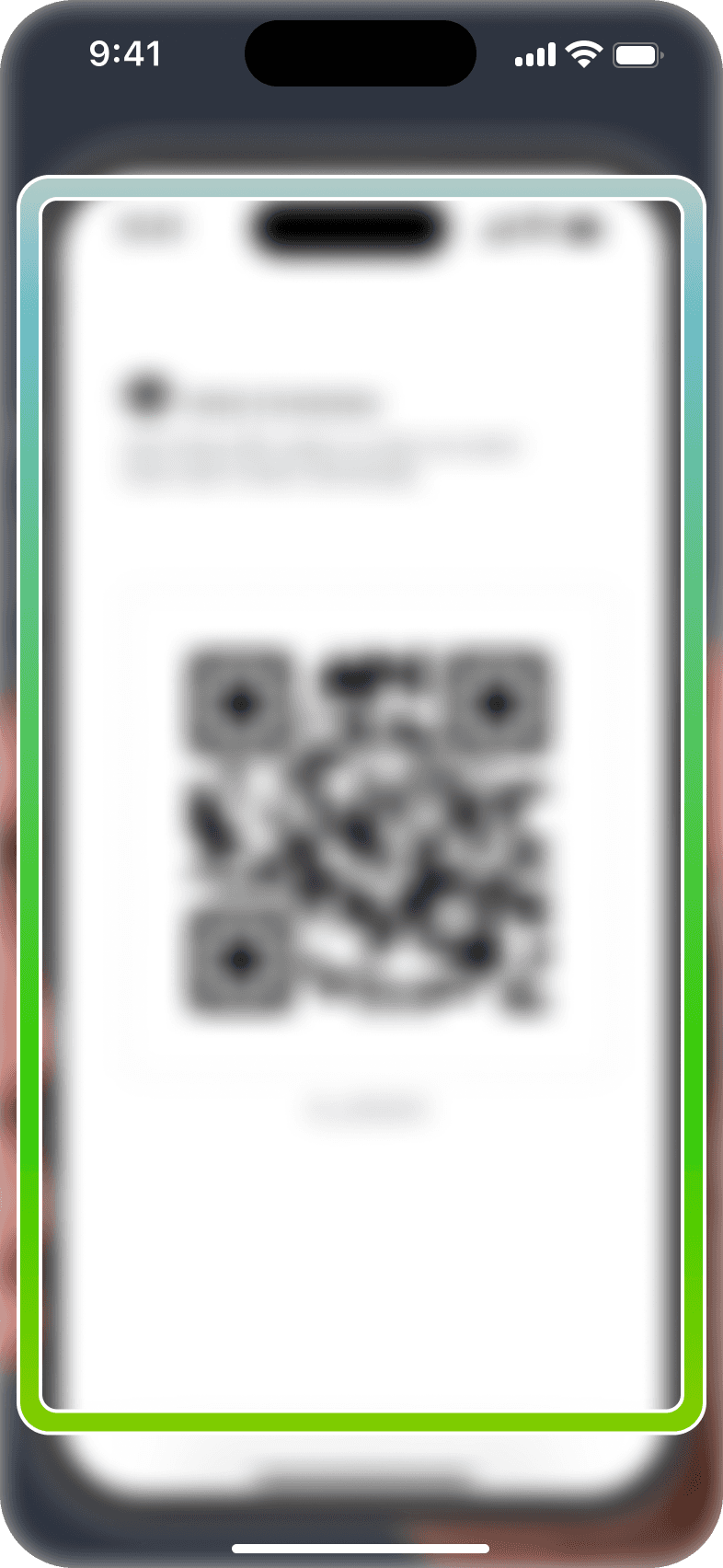
If the camera detects a valid QR code, the inner bounding box will brighten thicken, signaling successful ticket recognition.

Ticket Confirmation
Ticket Confirmation
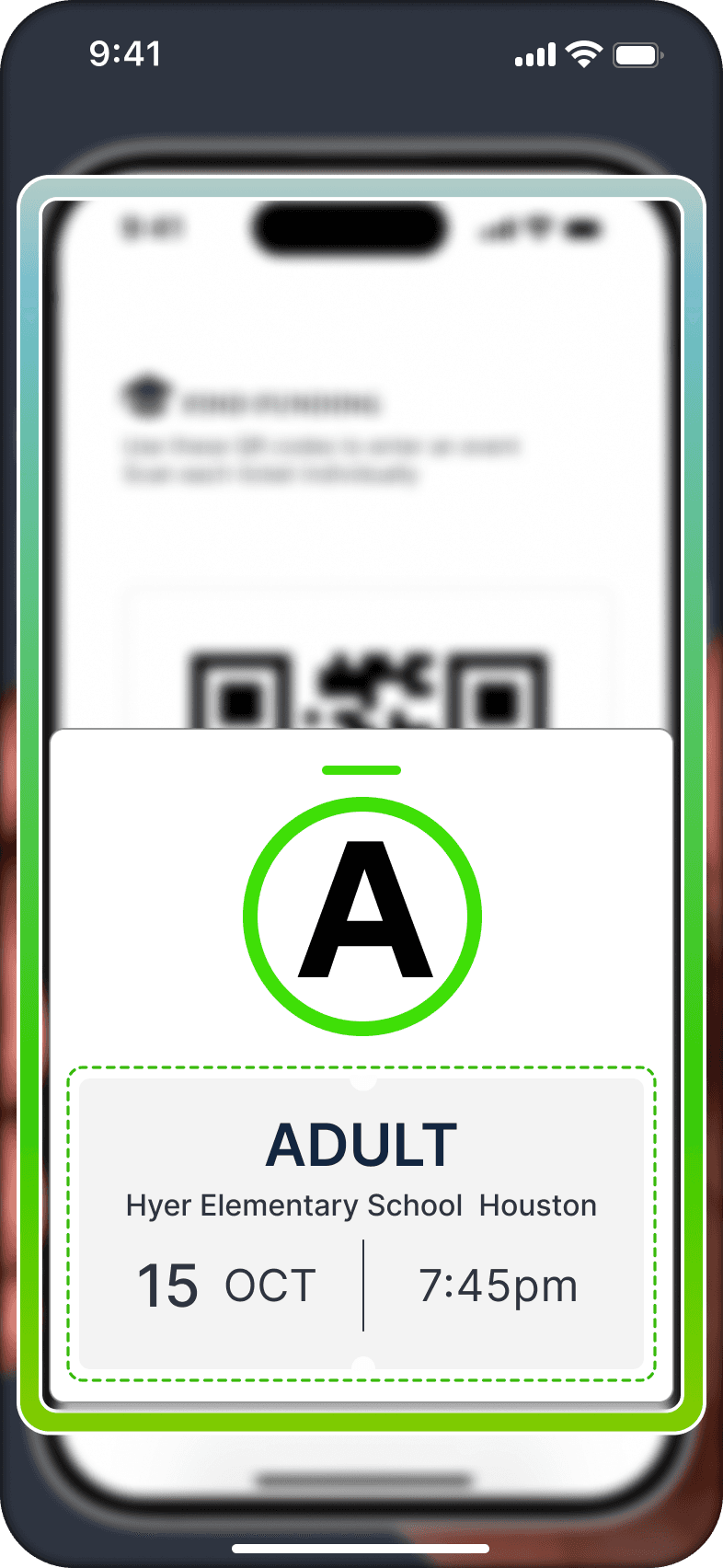
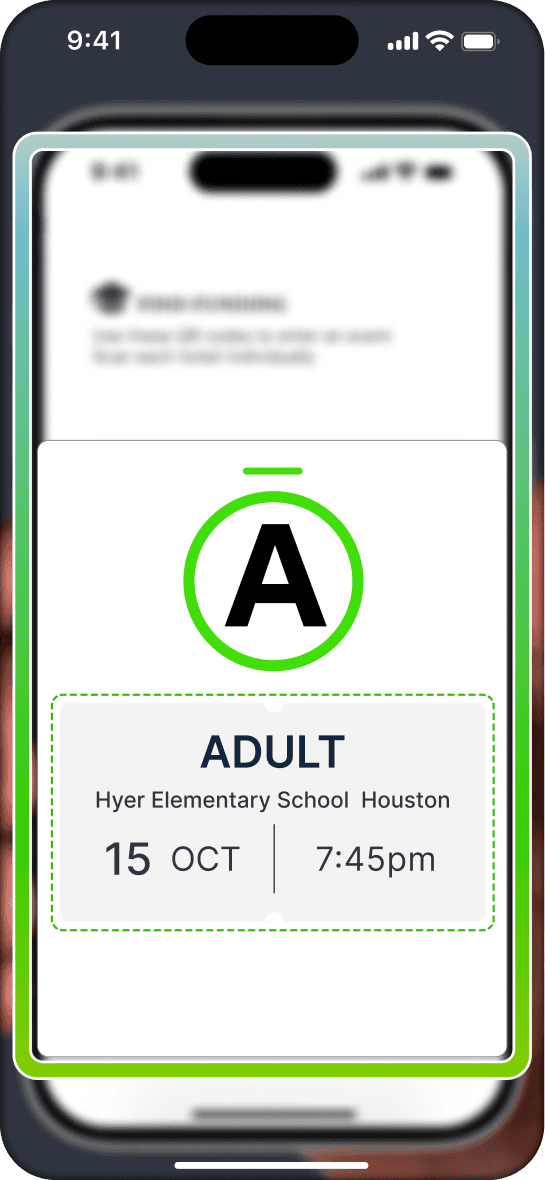
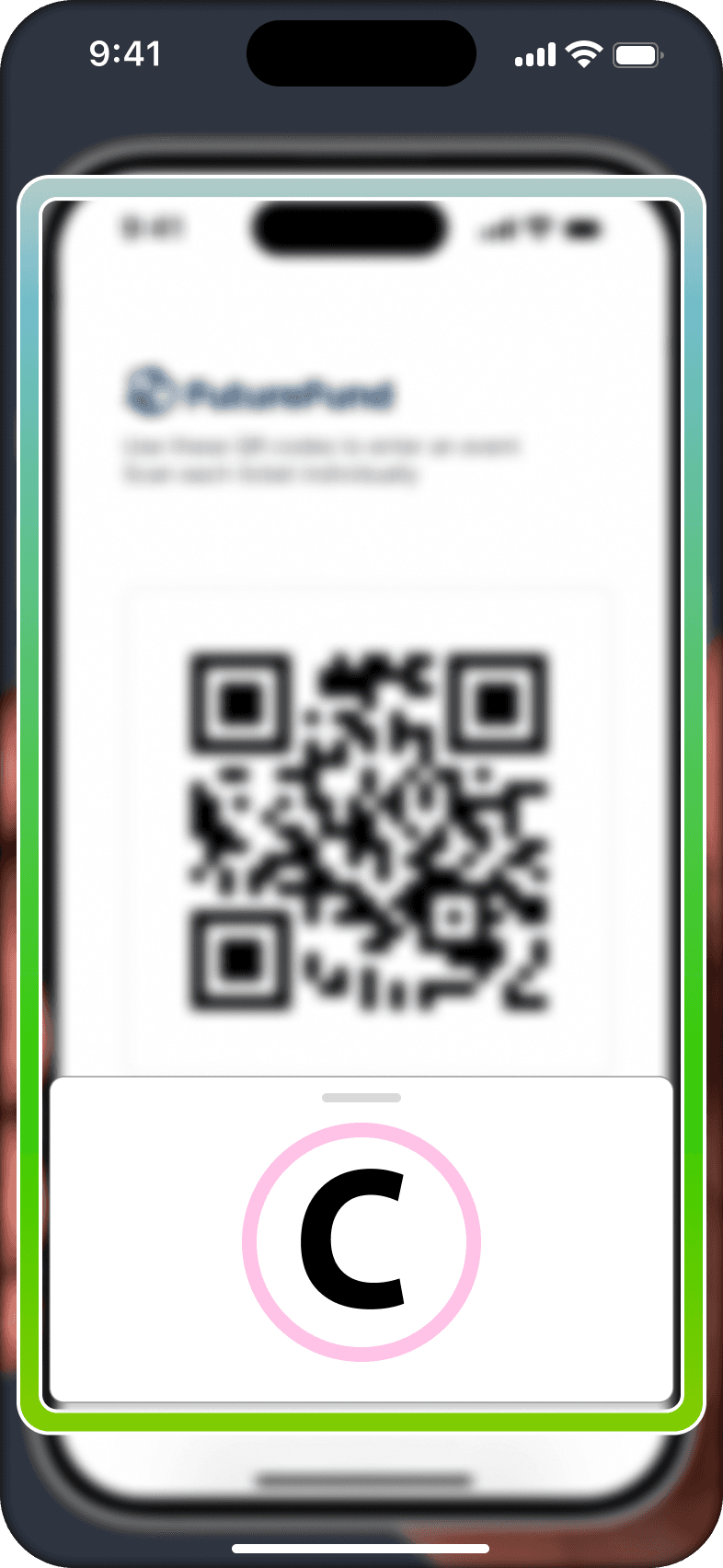
If a valid ticket is detected, the confirmation frame will shimmer with a green spectrum to indicate a successful scan.
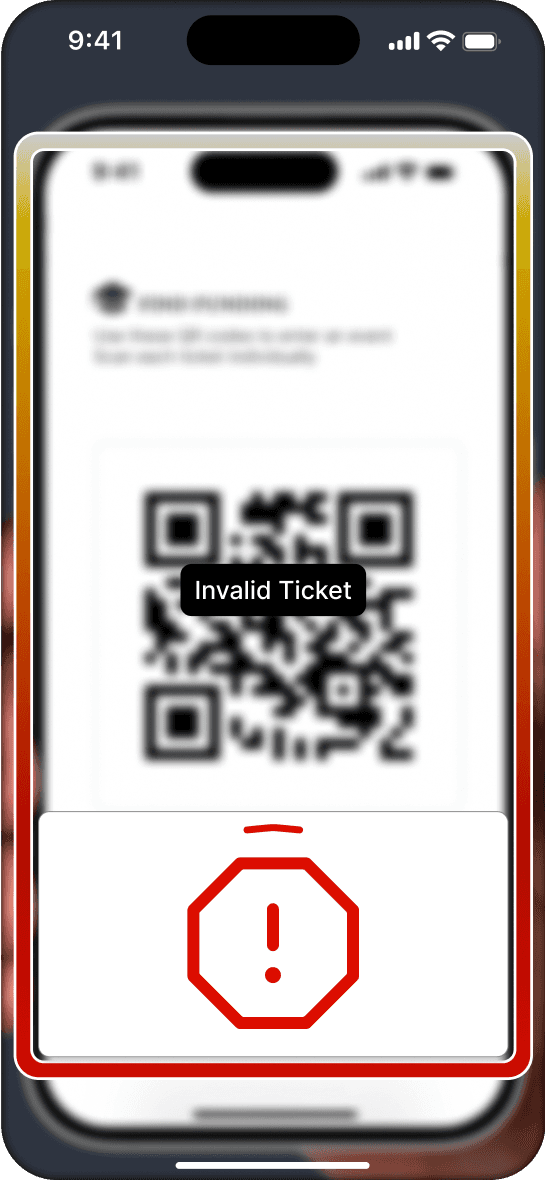
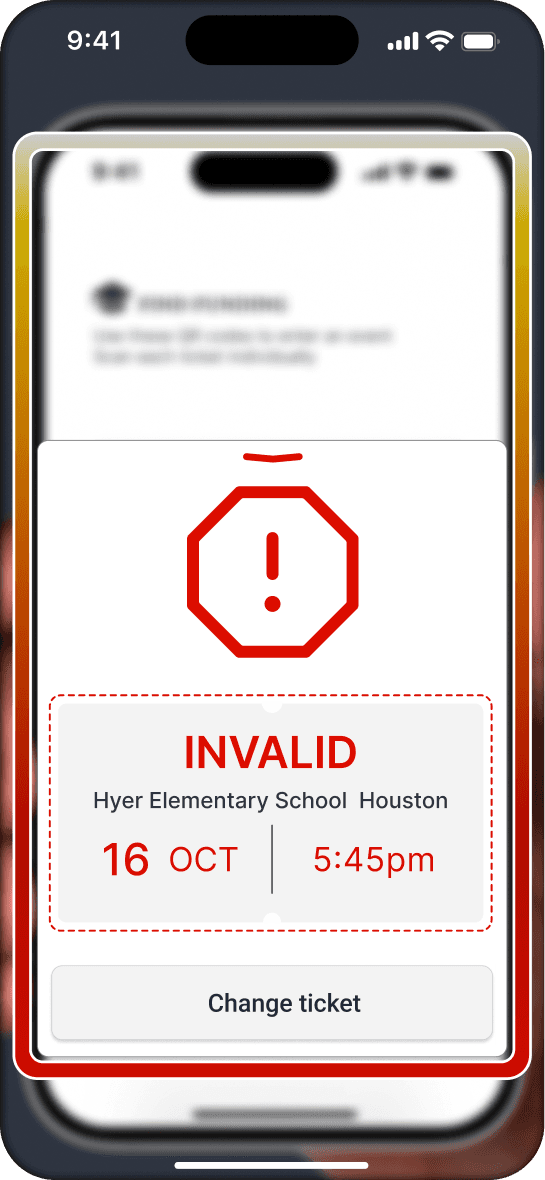
If an invalid QR code or incorrect date is detected, the confirmation frame will glow red to indicate an unsuccessful scan.
Scan Area
If the camera doesn't detect a valid ticket, the bounding box will remain thin, indicating the 'Left' option.
If the camera detects a valid QR code, the inner bounding box will brighten thicken, signaling successful ticket recognition.
Scan Area
If the camera doesn't detect a valid ticket, the bounding box will remain thin, indicating the 'Left' option.
If the camera detects a valid QR code, the inner bounding box will brighten thicken, signaling successful ticket recognition.
Ticket Confirmation
If a valid ticket is detected, the confirmation frame will shimmer with a green spectrum to indicate a successful scan.
If an invalid QR code or incorrect date is detected, the confirmation frame will glow red to indicate an unsuccessful scan.
Ticket Confirmation
If a valid ticket is detected, the confirmation frame will shimmer with a green spectrum to indicate a successful scan.
If an invalid QR code or incorrect date is detected, the confirmation frame will glow red to indicate an unsuccessful scan.
Ticket Detection & Confirmation interaction

No signup or onboarding needed.
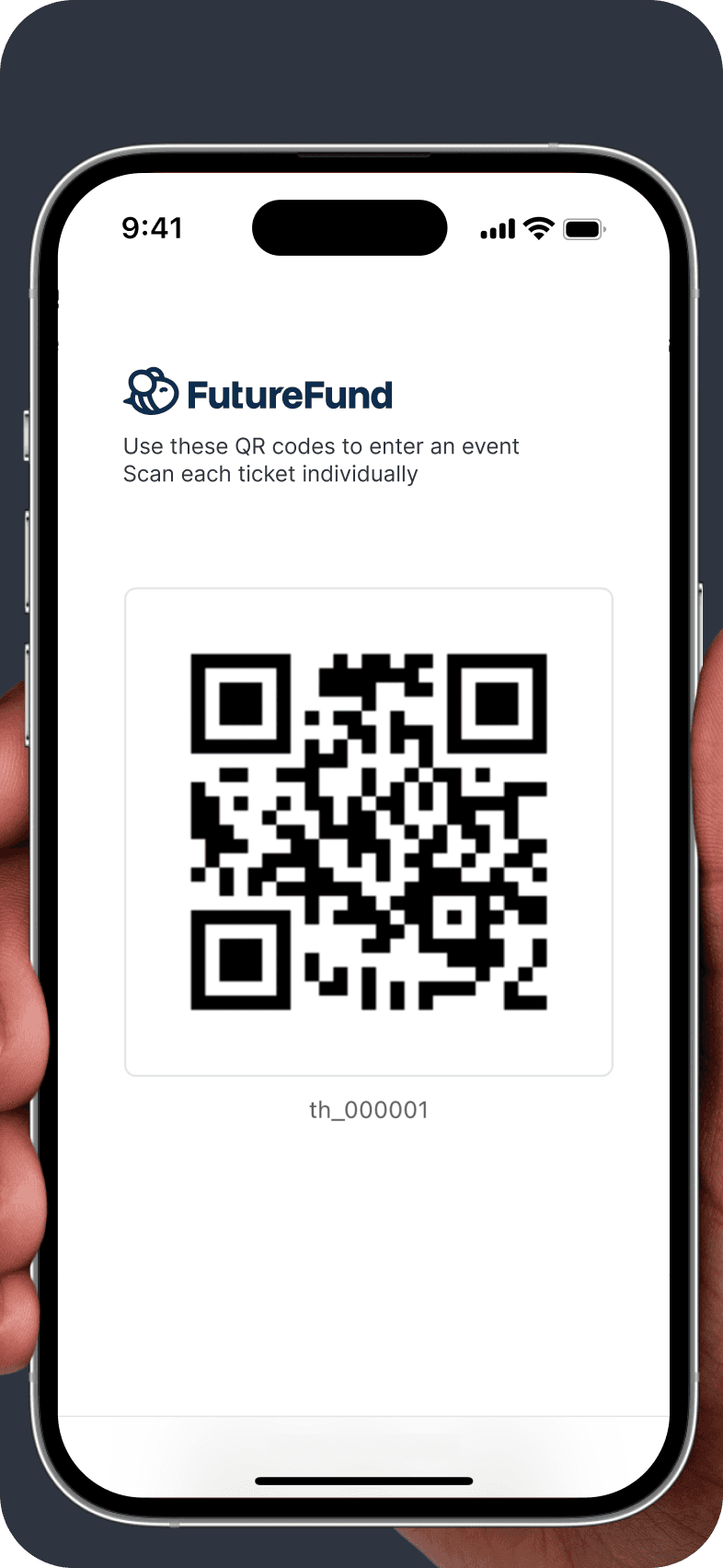
Jump straight into the scanner with a school ID and start scanning. By scanning an event QR code, users become ticket marshals and can immediately check visitors into the venue.
No signup or onboarding needed.
Jump straight into the scanner with a school ID and start scanning. By scanning an event QR code, users become ticket marshals and can immediately check visitors into the venue.
No signup or onboarding needed.
Jump straight into the scanner with a school ID and start scanning. By scanning an event QR code, users become ticket marshals and can immediately check visitors into the venue.
i
Enabling users to cycle through the scanner easily was important. The happy path allows the marshal to scan, evaluate, record and correct tickets all within the same interaction. The app also makes use of micro interactions and the device's native functionality to deliver a crisp scan for the user.
Marshals need fast, frictionless access to start scanning immediately.
A wide range of user types meant onboarding had to feel effortless for everyone.
The eng goal: Move as many people through any entrance as fast as possible.
The eng goal: Move as many people through any entrance as fast as possible.
The eng goal: Move as many people through any entrance as fast as possible.
i
Marshals need fast, frictionless access to start scanning immediately.
A wide range of user types meant onboarding had to feel effortless for everyone.
No signup or onboarding needed.
Jump straight into the scanner with a school ID and start scanning. By scanning an event QR code, users become ticket marshals and can immediately check visitors into the venue.
Scan Area
If the camera doesn't detect a valid ticket, the bounding box will remain thin, indicating the 'Left' option.
If the camera detects a valid QR code, the inner bounding box will brighten thicken, signaling successful ticket recognition.
Ticket Confirmation
If a valid ticket is detected, the confirmation frame will shimmer with a green spectrum to indicate a successful scan.
If an invalid QR code or incorrect date is detected, the confirmation frame will glow red to indicate an unsuccessful scan.
Ticket Detection & Confirmation interaction


DUALITY
DUALITY
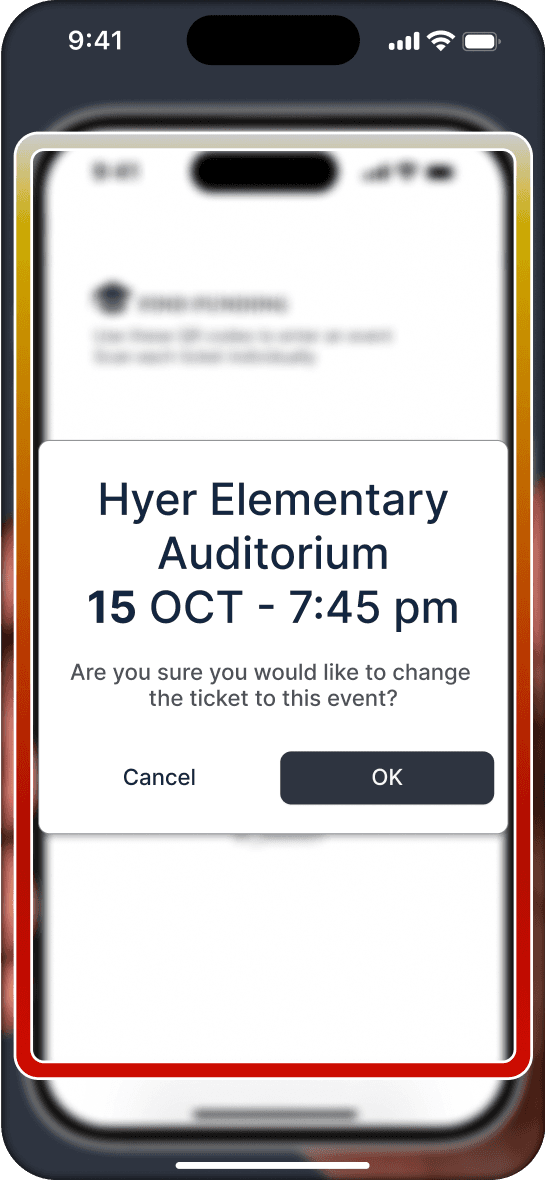
The only time a ticket won’t work is if someone shows up on the wrong day. The best part is marshals can fix tickets right there and let everyone in, keeping with the spirit of never turning anyone away.
The only time a ticket won’t work is if someone shows up on the wrong day. The best part is marshals can fix tickets right there and let everyone in, keeping with the spirit of never turning anyone away.
Seamless Ticketing, Every Time
Seamless Ticketing, Every Time
FutureFund provides tools that help schools and colleges across the USA secure funding.
In addition to fundraising solutions, they also offer enterprise tools, one of which is a ticketing app I designed for managing campus events held in auditoriums or stadiums.
Seamless Ticketing Everytime

Ticketing app
Minimal actions Maximum ease of use
ADAPTIBILITY
Move through tickets, quickly and seamlessly
SIMPLICITY
All ticket types are welcome
COMMUNITY FRIENDLY
Ticket scanning is open to all community members
YOU

EASY INFORMATION
Track every ticket in real time, monitor stadium capacity, and flag corrected entries with ease
DUALITY
The only time a ticket won’t work is if someone shows up on the wrong day. The best part is marshals can fix tickets right there and let everyone in, keeping with the spirit of never turning anyone away.
Most Schools either host or rent
out venues like:
Auditoriums
Stadiums
Parking Lots
Amphitheatres
Fields
Classrooms
Studios
Pools
FutureFund supports schools with practical solutions, including a new ticketing app built on the Turnstile API. This event ticketing software makes it simple for schools to manage events and create new streams of income.
116,000 Schools
8000 Colleges in the U.S.A

Intuitive and easy to use
Clear and informative
Accessible to all users
Attractive and native
No accounts, no setup, just start!
Jump straight into the scanner with a school ID and start scanning. By scanning an event QR code, users become ticket marshals and can immediately check visitors into the venue.
© Deven Khatri. 2025
all rights reserved
© Deven Khatri. 2025
all rights reserved
Reach out to me on Linkedin